ZZT for the NES runs Tim Sweeney's 1991 game on a Nintendo Entertainment System cartridge: the same engine, the same ZZT-OOP object language and the same worlds, on a machine with a 1.79 MHz 6502 processor, 2 KB of memory and a screen built from 8×8-pixel tiles. This page explains how it fits, how it was built, and how it was tested, up to a complete game of Town of ZZT.
How it worksThe original, and the cartridge
ZZT was written in Turbo Pascal for DOS PCs. In 2020 Adrian Siekierka published The Reconstruction of ZZT: Pascal source, recreated by reverse engineering, that compiles to an executable byte for byte identical to ZZT 3.2. It is about 8,100 lines, 1,100 of them the world editor. This port follows it procedure by procedure in C, compiled with cc65, so creatures, objects, conveyors, bombs and the rest behave as they do on a PC. The busiest code (drawing, the tile store, conveyors, the object-language reader, saving and loading boards) is 6502 assembly.
The cartridge is a standard MMC3 board, the most common advanced NES cartridge type (Super Mario Bros. 3 used one), in the same layout as the Japanese Final Fantasy III: 512 KB of program ROM, 8 KB of graphics RAM instead of graphics ROM, and 8 KB of battery-backed RAM. The first version of the port used the rarer MMC5 chip, which can give every character its own colour and carries 64 KB of RAM. That made the port simpler, but it is an expensive, unusual cartridge for a game made of text characters, so the port moved to MMC3, and most of what follows is about making ZZT fit in it.
Sixty columns on a 256-pixel screen
A ZZT board is 60 characters across and 25 down, plus a sidebar. The NES draws 256 pixels across, so 60 ordinary 8-pixel characters would need a scrolling camera (an earlier build did that). Instead each board character is 4 pixels wide: 60 × 4 = 240 pixels, and the whole board is on screen at once. There is no high-resolution mode on the NES; the font is drawn for the size. Letters are 3 pixels wide with a 1-pixel gap. Single box-drawing lines are 1 pixel and double lines keep their gap. The creatures, items, shades and walls were redrawn by hand: the 8×8 PC shapes, squeezed automatically, were unreadable. ZZT's sidebar becomes a three-row status bar at the bottom.

The player is a hardware sprite drawn over the board, so it always shows its cell's exact colours. Because a sprite can be 8 pixels wide, the player's smiley face gets 6 pixels and overhangs its neighbours by one pixel on each side, which is enough for two eyes.
Tiles made while you play
The NES background is a grid of 8×8 tiles chosen from a set of 256, each with four colours. Here a tile holds two board cells side by side, so the picture a tile needs depends on two characters and their colours. ZZT has 256 characters, 16 foreground and 8 background colours, and blinking. No fixed tile set could cover the combinations, which is why the cartridge has graphics RAM. Each combination a board needs (left character, right character, the colour of every pixel, blink) is drawn into graphics RAM the first time it appears, and kept in a cache of 184 tiles. A busy board such as Town's title screen uses about 150 of them.
Things move, so the cache fills with combinations nobody shows anymore. When it gets full, the game finds the tiles still in use by reading the screen back, a little in each vertical blank, and frees the rest. This happens in the background, with no blank screen.
Colour
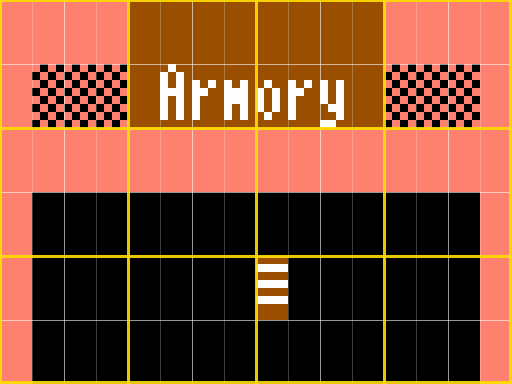
On a PC every ZZT character has its own foreground and background colour. The NES gives each 16×16-pixel area one of four palettes, each holding three colours plus a shared background colour. On this cartridge that area is four board cells across and two down. When the worlds are converted for the ROM, a search picks each board's palettes and gives every area the palette that fits its cells best. The fourth palette is fixed (blue, yellow and white) for the status bar and text windows. About 98% of Town of ZZT's cells show exactly their own colours; the rest get the nearest colour their area's palette has.
A whole world in 8 KB
ZZT keeps an entire world in memory, 25–75 KB of it, and every board as you've changed it. Here the
boards stay in ROM as the world shipped, and only the board you're on is in RAM. It is stored as one byte per cell, an
index into that board's list of element and colour pairs: 1,500 bytes instead of ZZT's 3,000. Objects' programs are
read straight out of ROM. When an object rewrites its own program (ZZT-OOP's #zap and
#restore), the change is kept as a small patch.
The boards you've left are kept as records of how they differ from the ROM version. They go into the 5 KB of graphics RAM the tiles don't use. A creature that wandered off costs almost nothing: the record notes it and the decoder clears its starting cell. Changed cells pack into about a byte each. When that memory runs short, the oldest boards are rewritten in a shorter form: their wandering creatures are dropped and return as the world first had them, and cleared forest grows back. Doors, keys, items, objects, walls and anything you pushed stay exactly as you left them. This is the one place the port knowingly differs from ZZT. In the full game of Town described below, every board stayed in memory.
Text windows that unroll
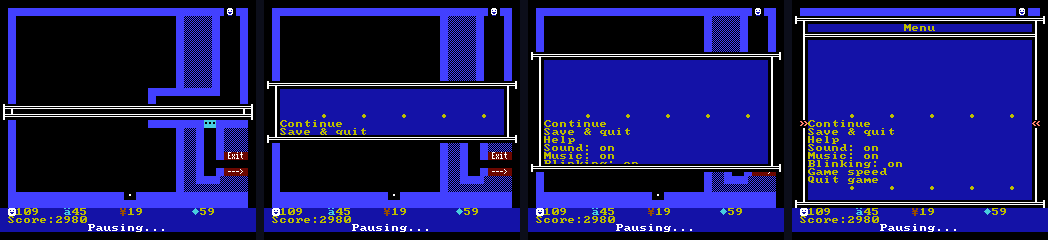
ZZT's scrolls (object conversations, the menu, help) are drawn on the NES's second background screen while the board stays untouched on the first. The MMC3 can interrupt the processor at a chosen scanline, and the game uses that to switch screens and scroll positions up to six times per frame. The window unrolls from the middle, its text slides smoothly when you scroll, and closing it shows the board that was there all along, with no redraw (on the busiest boards it fades through black while the board is drawn again). The arrows beside the current line are sprites, so the text moves under them.
Timing, controls, sound and saves
- Timing. ZZT's clock is the PC's 18.2 Hz timer. The cartridge adds 182/600 of a timer tick every frame, so at the default speed the game runs at ZZT's 9.1 turns a second, the same as on a PC.
- Controls. ZZT reads the keyboard once per turn, about every 110 ms. Here a press that arrives between turns starts the player's move at once while the creatures keep their own time. From a press to the picture changing takes 2 frames (it was 2–8).
- Sound. ZZT's PC-speaker music and effects play on the NES's pulse channel, and its drums are noise bursts.
- Soundtrack. ZZT never had background music, only its effects and the tunes a world's objects play with
#play, like the jazz in Town's House of Blues and the fanfare when the palace opens. The cartridge adds an optional soundtrack, on by default (Music in the title and in-game menus): three original tracks, for the title screen, the boards, and dark rooms, on the NES's other channels (a second pulse for the melody, the triangle for the bass, noise for the drums). ZZT's own sounds come first: an effect borrows the chords' channel for a moment, and an object's#playtune pauses the music until it ends. The songs are written in a short text notation (MML), which a Python script compiles into byte streams for a small player that runs once a frame from its own ROM bank. - Saves. The graphics RAM holding the boards you've left is lost at power-off, so Save & quit writes the whole world (every changed board, your health, items and keys) into the battery RAM. The working memory it overwrites isn't needed anymore, and the console restarts. The first screen offers to continue. In the browser, that battery RAM lives in your browser's storage.
- Messages. ZZT's one-line messages at the bottom of the board ("Ouch!", "You now have the purple key") flash in the status bar.
How it was madeMade with Claude Code
The port was written by Claude Code, Anthropic's AI coding agent, for BX Foundry. BX Foundry directed the work: it picked the cartridge, played each build in an emulator, and said what was wrong. Claude Code read the Reconstruction's Pascal, wrote the C and the 6502 assembly, wrote the tools that turn ZZT worlds into ROM data, and tested every change in two emulators. In all: about 10,400 lines of C, 9,200 of assembly, 3,200 of Python tools and 1,450 of tests, for all three builds made along the way.
| When | What happened |
|---|---|
| Oct 19, morning | The request: port ZZT to the NES and keep its character graphics. By late morning the first build ran, on an MMC5 cartridge, with ZZT's engine, objects, text windows, sound, high scores and a scrolling view. |
| Oct 19, afternoon | MMC5 was too exotic a cartridge for a text game, so the port moved to MMC3: tiles made on demand, palettes per area, boards kept as differences. Town of ZZT became the main world, all 33 boards. |
| Oct 19, evening | The first play-tests: too slow, laggy, and a status bar garbled in one emulator. Each was measured and fixed. |
| Oct 20, morning | Less input lag. The wide build: the whole board on one screen in the new 4×8 font. Speed work on dark rooms, busy boards and board changes. |
| Oct 20, afternoon | New gems and player faces. Text windows rebuilt on raster splits so they unroll and scroll smoothly. Fades instead of ZZT's purple screen between rooms. Save & quit. This web page. |
| Oct 20, evening | A test bot played Town of ZZT from the first board to the ending, which turned up three bugs. They were fixed, and the release went up. |
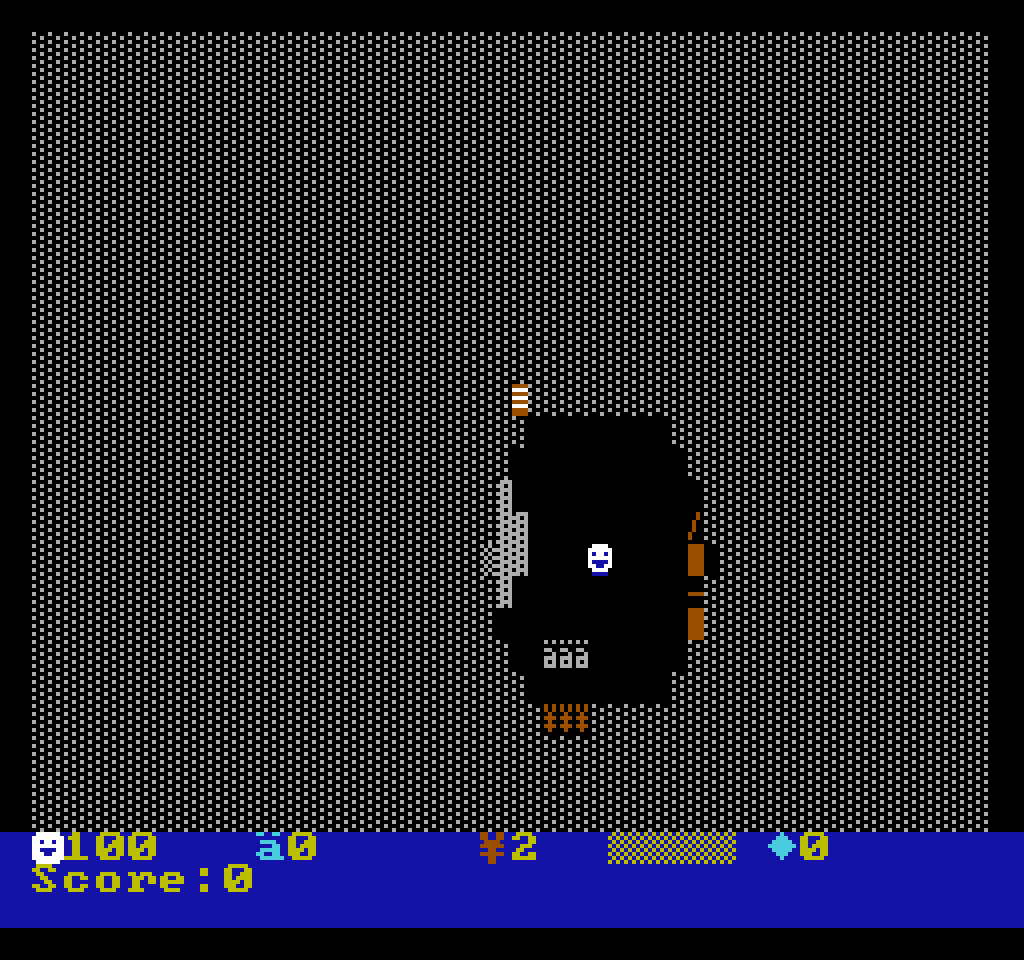
| Oct 21 | An optional soundtrack: three original tracks. The game now starts on Town's title screen, with About on Select. On a real NES the first soundtrack build showed only a grey screen: its music player ran before it was set up, from memory a real console doesn't clear the way an emulator does. Found by trying a few test cartridges, and fixed. |
Most of the work after the first build was fitting and speed. A PC in 1991 could redraw any character for free; the NES can change only about 30 tiles on the screen per frame. ZZT redraws a 15×9 area around the player on every step, even in lit rooms, so the first MMC3 build spent most of its time waiting for the screen. The fixes were usually to work out what actually changes and send only that.
| Measured during development | Before | Now |
|---|---|---|
| Walking in a dark room with a torch | 1.8 turns/s | 9.0 |
| Bomb Area (busy board) | 1.4 turns/s | 8.8 |
| Dragon's Lair | 0.8 turns/s | 7.6 |
| Changing boards | 1.9 s | 0.45–0.7 s |
| Opening an object's text window | 2.3 s | 0.6 s |
| Button press to picture | 2–8 frames | 2 frames |
ZZT's normal speed is 9.1 turns a second.
Testing
Every build ran in two emulators. Mesen ran headless from scripts that press buttons, poke memory, take screenshots and profile the code. Nestopia (the core behind this page, and behind OpenEmu) is stricter about some timing, and it caught a status-bar split that Mesen accepted. There are 44 test and benchmark scripts. Among the checks:
- the work the game hands the video chip always finishes inside the vertical blank;
- a board you leave and come back to is exactly as you left it, cell for cell and creature for creature;
- random play visits every board of Town of ZZT without losing any;
- the input latency;
- a 12,000-frame soak;
- dying and entering a high score;
- Save & quit across a power cycle;
- this page, in a headless browser, on a desktop and a phone layout.
Playing Town of ZZT to the end
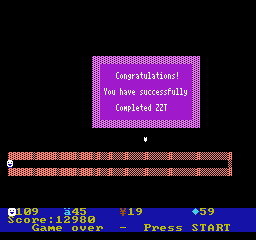
Before release, a bot played Town of ZZT on the release cartridge, from the first board to the ending, without cheats. It followed the route of a published walkthrough, the "Let's Analyze Town of ZZT" series. It walked by pathfinding over the board as the game stores it. For the timing gauntlets (the spinning guns of the Waterboard, the Prison's six-gun corridor, the blinking walls on the path to the castle, bombs carried up to the dragons) it searched turn by turn from emulator snapshots for moves that took no damage, the way a player might retry from save states. It finished with 12,980 points, and every board it had visited was still in memory.
The playthrough found three bugs that ordinary testing had missed:
- One object command bound to the wrong object. The
#bindcommand (one object takes over another's program) passed the name it looked for in a buffer that the search itself overwrote, so it always bound to the board's first named object. In the castle's Throne Room every moving wall ran the statue's program, which made the final puzzle much too easy. It was fixed and the room replayed. - Memory for a long game. Partway through, the boards left behind outgrew their 5 KB, and the oldest would have been forgotten, possibly the board with the palace doors. The shorter records and packed cells described above came from this.
- The flash messages never appeared. ZZT keeps a message's timer as an invisible object at the corner of the board, outside the playing area, and runs it by the element under it. This cartridge stores only the playing area, so the corner read as board edge, and the timer never ran. No "Ouch!", no "You now have the purple key", no one-line object speech, ever. The game was still finishable, which is why it went unnoticed until the "Game over" prompt was missing. Now the corner reads as the timer.
The bot reads the board directly, so dark rooms and invisible walls hid nothing from it. Its game shows that Town of ZZT can be finished on the cartridge, not how hard that is for a person.
Limits
- The Mixer runs at about 6 turns a second instead of 9.1. Drawing two cells per tile costs more on its constantly moving board.
- Colour: a few cells per board show a nearby colour, mostly in dark rooms.
- Board changes fade through black for about half a second. Reading the stored boards out of graphics RAM needs the picture turned off.
- Boards in short form get their wandering creatures back, as described above.
- Text windows on very busy boards open with part of their text and fill in a moment later.
- Not ported: the world editor (a world is 25–75 KB, and the cartridge has 8 KB of battery RAM) and printing.
- Hardware: tested in two emulators, and it starts up on a real NES from an EverDrive N8 flash cart.
The full source, with the tools and tests, is in the source download; its README says how to build it.
← Back to ZZT for the NES